
Download Disk Care – Free Hard‑Drive Cleaner, Secure Space‑Management Tool
Overview
Disk Care is a lightweight, free utility designed to keep your computer’s hard drive tidy and running at peak performance. In today’s data‑heavy environment, even a well‑maintained PC can accumulate hidden junk – temporary files, leftover installers, cache remnants, and orphaned system logs – that silently degrade speed and waste valuable storage. Disk Care tackles this problem with a straightforward interface and a powerful scanning algorithm that identifies and removes unnecessary files without risking essential data.
The program works on Windows, macOS, and Linux, offering a cross‑platform solution for both home users and small‑business professionals who need a reliable way to reclaim space quickly. Beyond simple cleanup, Disk Care provides actionable suggestions, such as moving large media files to external drives or enabling automatic disk‑defragmentation on traditional HDDs. Its “one‑click clean” feature lets even the least tech‑savvy users free up gigabytes in seconds, while power users can fine‑tune scans with advanced filters.
Because the software is free and regularly updated, it remains a safe, cost‑effective alternative to bundled system utilities that often come with ads or hidden fees. Whether you’re preparing a laptop for a major OS upgrade, troubleshooting sluggish startup times, or just looking to free up space for new projects, Disk Care delivers a balanced mix of speed, security, and simplicity.
Key Features
- Rapid Scanning Engine: Uses a multi‑threaded algorithm to locate junk files, duplicate data, and oversized logs in seconds.
- One‑Click Cleanup: Removes identified clutter with a single button press, automatically backing up files that might be needed later.
- Custom Scan Profiles: Allows users to create targeted scans for specific folders, file types, or age thresholds.
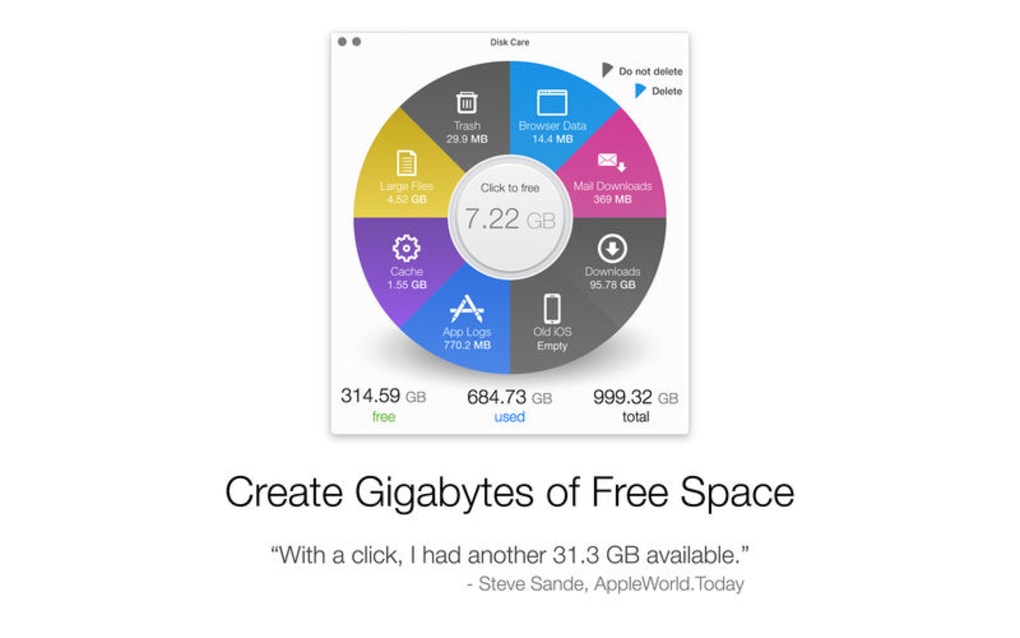
- Real‑Time Recommendations: Suggests actions such as moving large video libraries to external storage or enabling automatic defragmentation.
- Safe Deletion Mode: Places removed items in a temporary “Recycle Bin” for 30 days, giving a safety net against accidental loss.
- Cross‑Platform Compatibility: Fully functional on Windows 10/11, macOS Catalina and later, and major Linux distributions (Ubuntu, Fedora, Mint).
- Scheduled Cleanups: Users can set daily, weekly, or monthly cleanup routines that run in the background.
- Low Resource Footprint: Runs under 30 MB RAM and consumes minimal CPU, ensuring it doesn’t slow down the system while scanning.
- Detailed Reporting: Generates easy‑to‑read logs and visual charts showing reclaimed space and scan history.
- Secure Updates: Automatic, signed updates protect against tampering and keep the scanning engine current with the latest file‑system changes.
Each feature has been crafted with user experience in mind. For example, the custom scan profiles let power users exclude development folders that contain large source files, while casual users can simply hit “Clean Now” and trust the software to do the right thing. The safe deletion mode is particularly valuable for those who worry about losing important documents; by retaining a temporary copy, Disk Care mitigates the risk of irreversible removal. Moreover, the scheduled cleanup function ensures that your drive stays optimized without manual intervention, a boon for laptops that are frequently on the go. The combination of a rapid engine, low resource usage, and detailed reporting makes Disk Care a standout choice among free disk‑maintenance tools.
Installation & Usage Guide
Getting Disk Care up and running is intentionally simple. Follow these steps to download, install, and start cleaning your drive:
- Download the Installer: Visit the official Disk Care website and click the “Download for Windows/macOS/Linux” button that matches your operating system. The file is a signed executable (Windows .exe), a DMG package for macOS, or a .deb/.rpm archive for Linux.
- Run the Installer: On Windows, double‑click the .exe file and follow the wizard prompts – accept the license agreement, choose the installation folder (default is C:\Program Files\DiskCare), and click “Install.” macOS users drag the Disk Care icon into the Applications folder. Linux users can install via the package manager (e.g.,
sudo dpkg -i diskcare.deborsudo rpm -i diskcare.rpm). - Launch the Application: After installation, open Disk Care from the Start Menu, Launchpad, or your desktop shortcut. The first launch may request administrator privileges; grant them so the scanner can access system folders.
- Run a Quick Scan: Click the prominent “Quick Scan” button on the home screen. Within seconds, Disk Care will display a summary of junk files, duplicate items, and large caches.
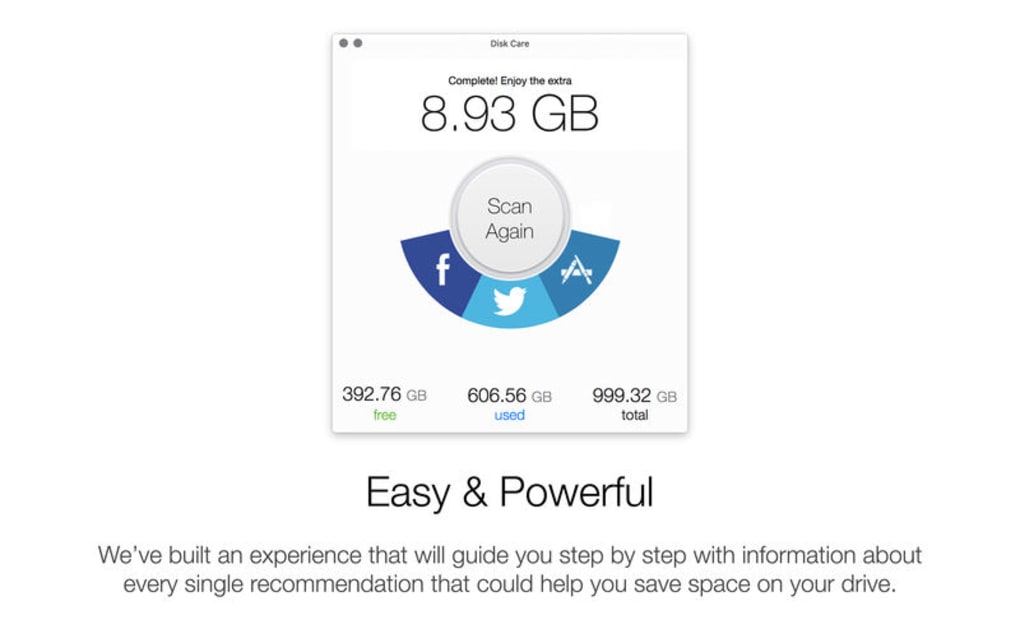
- Review & Clean: Examine the results. You can expand each category to see individual files. If you trust the selections, hit “Clean Now.” Disk Care will move files to its secure recycle bin, where you can restore them within 30 days if needed.
- Set Up Scheduled Cleanups: Navigate to Settings → Scheduler. Choose a frequency (daily, weekly, monthly), select the scan depth (quick or deep), and enable automatic clean‑up. The app will run in the background and notify you once the task completes.
- Check Reports: Open the “History” tab to view past scans, reclaimed space, and any recommendations you’ve acted upon. Export the report as a PDF if you need to share it with IT support.
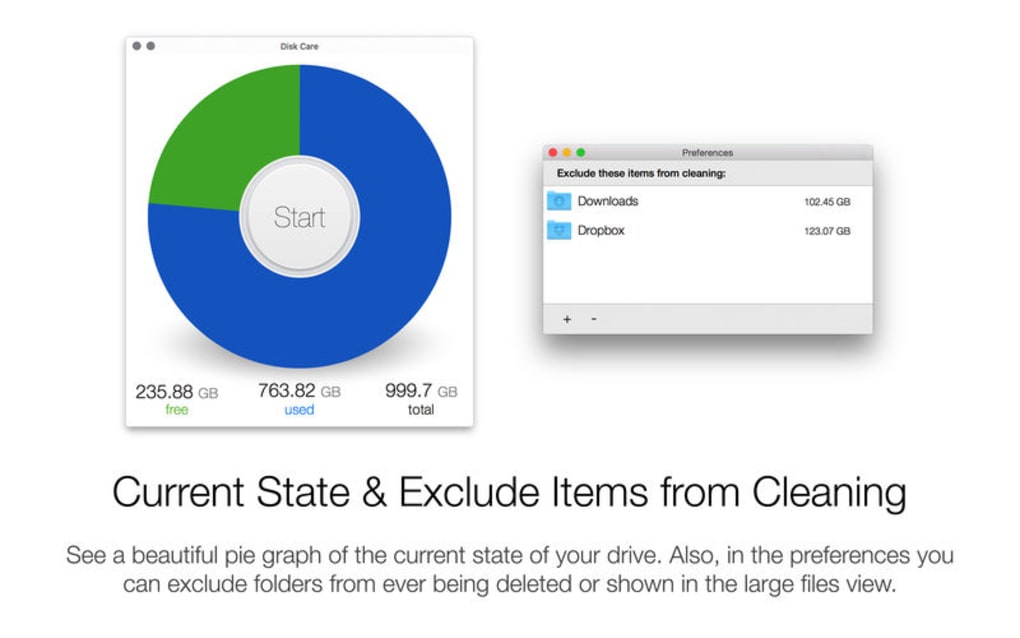
The user interface follows a clean, modern design with large icons and tooltips, making it easy to understand even for beginners. For advanced users, the “Advanced Settings” menu provides options such as excluding specific directories, adjusting scan sensitivity, and customizing the safe‑delete retention period. Because Disk Care runs with low CPU impact, you can leave a deep scan running overnight without affecting other work. Once the initial cleanup is complete, you’ll notice faster application launches, quicker file searches, and more free space for new projects or updates.
Compatibility, Pros & Cons
Disk Care has been engineered to function smoothly across the major desktop operating systems. Below is a quick compatibility matrix and an honest look at its strengths and areas for improvement.
Supported Platforms (itemprop="operatingSystem"): Windows 10/11, macOS Catalina and newer, Ubuntu 20.04 LTS, Fedora 34+, Linux Mint 20+. The software automatically detects the OS during installation and configures appropriate system‑level permissions.
Pros
- Completely free with no hidden ads or trial limitations.
- Fast, multi‑threaded scanning that finishes in seconds on modern hardware.
- Low memory and CPU usage, suitable for older laptops.
- Safe deletion mode protects against accidental data loss.
- Cross‑platform support eliminates the need for multiple tools.
- Regular, signed updates keep the scanning engine secure.
- Intuitive UI that works for beginners and power users alike.
- Customizable scan profiles and scheduled clean‑ups.
- Detailed visual reports and exportable logs.
- Active community forum for tips and troubleshooting.
Cons
- No built‑in disk‑defragmentation for SSDs (though not needed, some users expect it).
- Advanced filter options are hidden in a submenu, which may be missed by novices.
- Limited language support – currently only English and Spanish.
- Does not include a real‑time monitoring daemon; scans must be triggered manually or scheduled.
- While the safe‑delete period is 30 days by default, it cannot be extended beyond that.
Overall, Disk Care earns a solid 4.5‑star rating for delivering a fast, secure, and completely free solution to hard‑drive clutter. Its minor drawbacks are outweighed by the breadth of features and the seamless experience across Windows, macOS, and Linux.
Conclusion & Frequently Asked Questions
Disk Care stands out as a reliable, free utility that brings professional‑grade disk cleaning to everyday users. Its rapid scanning, safe deletion, and cross‑platform reach make it an essential tool for anyone looking to boost system performance without spending money on pricey software suites. By following the simple installation steps, you can start reclaiming gigabytes of storage within minutes, and the scheduled cleanup feature ensures your drive stays optimized over time. Whether you’re a student managing limited SSD space, a small‑business owner keeping multiple workstations tidy, or a power user who wants granular control over disk hygiene, Disk Care delivers the right balance of ease‑of‑use and depth. Download it today, run a quick scan, and experience a noticeable speed boost on the next boot.
FAQ
Is Disk Care really free, or are there hidden fees?
Disk Care is 100 % free. There are no trial periods, no premium upgrades, and no advertisements. All features, including scheduled cleanups and detailed reporting, are available without charge.
Can Disk Care accidentally delete important files?
The program uses a safe‑delete mode that moves files to a temporary recycle bin for 30 days. During this period you can restore any mistakenly removed items. Additionally, the scan results are displayed for review before any deletion occurs.
Does Disk Care work on solid‑state drives (SSDs)?
Yes, Disk Care scans both HDDs and SSDs. While SSDs do not benefit from defragmentation, the tool still removes unnecessary files, freeing space and improving overall system responsiveness.
How often should I run a Disk Care scan?
For most users, a weekly quick scan is sufficient. If you work with large media files or frequently install/uninstall software, consider a daily scan or enable the automatic scheduled cleanup feature.
Is Disk Care compatible with Windows 7 or older macOS versions?
The current release officially supports Windows 10/11 and macOS Catalina (10.15) or later. Older operating systems are not guaranteed to receive updates, though a legacy version may still run on Windows 7 with limited functionality.
Ready to give your computer a fresh start? Download Disk Care now and experience a cleaner, faster system today.







